Última actualización: 20 de octubre de 2026 · Por el equipo editorial de Rumbo a la Ciencia
Cash App, Venmo, and Zelle solve the same problem: moving money to another person without writing a check or counting bills. They are not interchangeable, though. One is built for instant transfers between friends, one is a social payments network with a business arm, and one is a feature inside your bank's app that happens to be free.
The cost difference between them is easy to measure once you know where the fees hide. This comparison breaks down what each charges, what protection you give up, and which one is cheapest for the way you actually move money.
How each one works
Cash App gives you a $Cashtag and a linked debit card. You can send money from your Cash App balance or from a linked bank account, and you can receive money instantly from other users. It also offers investing and bitcoin, which are separate products with separate risks.
Venmo uses usernames and a social feed. Payments between friends are free when funded by a bank account or Venmo balance. It is owned by PayPal, and it has a business profile product with purchase protection for buyers.
Zelle is not an app you download on its own in most cases. It is a network embedded in the banking apps of hundreds of US banks and credit unions. You enroll with your bank, link a phone number or email, and send money directly between bank accounts, usually within minutes.
Fees compared
| Action | Cash App | Venmo | Zelle |
|---|---|---|---|
| Send from balance or bank | Free | Free | Free |
| Send with a credit card | About 3% | About 3% | Not supported |
| Instant transfer to a bank | About 1.75%, minimum $0.25 | About 1.75%, minimum $0.25, capped around $25 | Not applicable |
| Standard transfer | Free, 1–3 business days | Free, 1–3 business days | Instant by design |
| Receive money | Free | Free | Free |
| Business payments | Business account, fee on card payments | 1.9% + $0.10 for business profiles | Not supported |
Notice the pattern: the sender pays nothing as long as the money comes from a balance or a bank account. Fees appear when you use a credit card or want the money to leave the app instantly.
What a $500 transfer actually costs
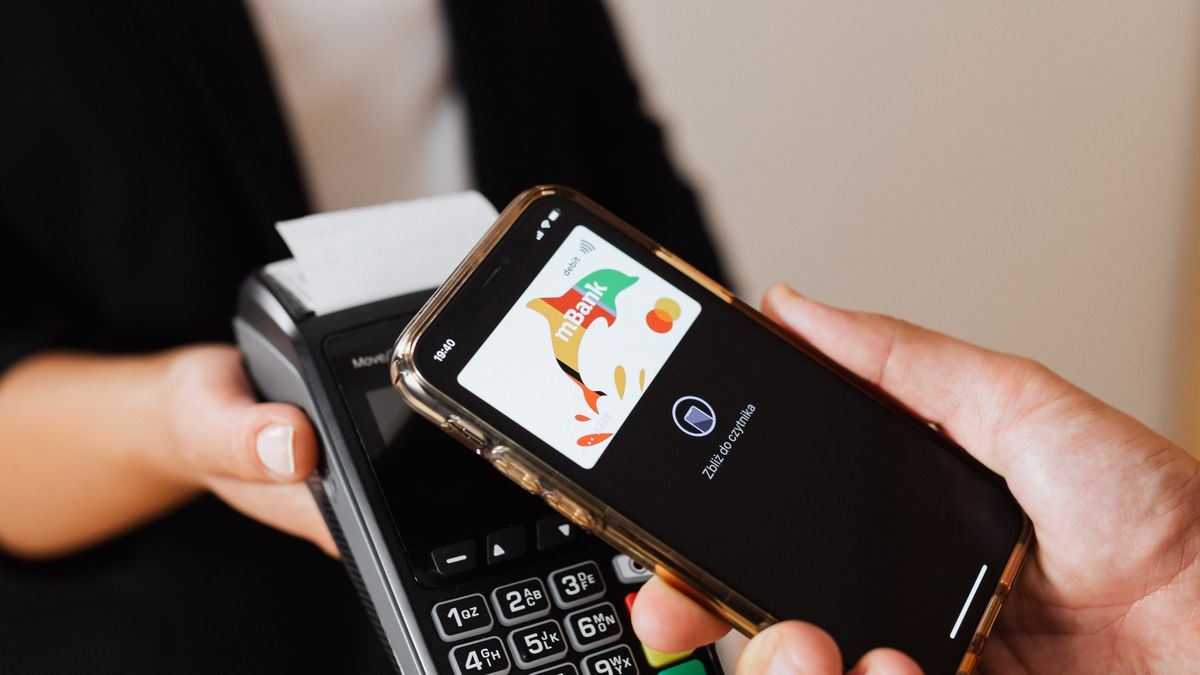
Suppose you owe a roommate $500 for rent and you want the money to land today.
- Zelle: $0, assuming both banks participate and you are within your daily limit. The money moves bank to bank.
- Venmo or Cash App from your balance: $0 to send, but the recipient pays about 1.75% (roughly $8.75) if they want it in their bank account immediately.
- Venmo or Cash App funded by credit card: about 3% on your side, roughly $15, plus the recipient's instant transfer fee if they cash out.
For a single rent payment, Zelle is the cheapest by a wide margin. For splitting a dinner with friends, the convenience of Venmo or Cash App is usually worth zero dollars to the sender, and the recipient can simply leave the balance in the app for the next purchase.
Speed and limits
Zelle is the fastest because it does not involve a stored balance. Money moves between bank accounts, and most transfers complete in minutes. Limits are set by your bank, typically somewhere between $500 and $5,000 per day for consumer accounts, with lower limits for new users.
Venmo and Cash App keep a balance, which makes internal transfers instant but bank transfers slower. Standard transfers take one to three business days. Instant transfers cost the fee above. Sending limits depend on identity verification and account history; unverified accounts are capped low.
Verified identity matters. All three require a legal name, date of birth, and usually a Social Security number to raise limits, because they are subject to anti-money-laundering rules. Using a nickname or a partial profile will keep your account in a limited state.
Protection: the part nobody reads
This is the most important difference, and it has nothing to do with fees.
Zelle has no purchase protection. Once the money leaves your account, it is gone. Banks may attempt to recover funds in cases of fraud, but they are not obligated to reimburse authorized transfers, and a scam where you willingly sent money is usually treated as authorized.
Cash App offers limited protection and is explicit that payments to people you do not know are risky. Its support process for disputed transactions is slow, and scams involving overpayment or fake buyers are common.
Venmo offers purchase protection only when you use the goods and services feature and pay the associated fee. Payments marked as friends and family have no protection, which is exactly why scammers ask sellers to use that option.
| Scenario | Cash App | Venmo | Zelle |
|---|---|---|---|
| Sent to the wrong person | Request a reversal, no guarantee | Request a reversal, no guarantee | Bank-dependent, often no |
| Scammed by a stranger | Limited | Only with purchase protection | Generally no |
| Unauthorized account access | Investigated | Investigated | Bank investigates |
Privacy and social features
Venmo's default settings once made every payment public. The company has changed defaults and added controls, but the social feed is still part of the product. If you do not want your rent, therapy copay, or breakup dinner visible to contacts, set every transaction to private and check the setting again after app updates.
Cash App is more private by default. Zelle does not have a social layer at all, which is one reason older users prefer it.
Business use
If you sell things, the calculus changes. Venmo business profiles charge 1.9% plus $0.10 per payment and include purchase protection, which makes them viable for small sellers. Cash App for Business has its own fee structure and integrates with its debit card. Zelle explicitly discourages business use and offers no seller protection at all.
For anything involving shipping or strangers, a proper payment processor such as Stripe, PayPal, or Square is safer than any peer-to-peer app.
Which one costs less overall?
For pure person-to-person transfers funded by a bank account, all three cost nothing to send. The real cost is the instant transfer fee and the risk of losing money to a scam.
- If both people have the same bank or use banks on the Zelle network, Zelle is the cheapest and fastest.
- If you want a balance you can spend with a card, Cash App is the most flexible.
- If you buy and sell with friends and want some buyer protection, Venmo's goods and services option is worth the fee.
Common scams to recognize
Payment app fraud follows a few patterns. Someone overpays and asks you to refund the difference; the original payment later reverses. A "buyer" asks you to upgrade to a business account and sends a fake support message. A "bank fraud department" calls and asks you to move money to a safe account using Zelle. A marketplace seller asks for a deposit before you see the item.
All of these rely on urgency. No legitimate bank, platform, or buyer needs you to send money in the next five minutes, and none of them will ask for a code sent to your phone.
Frequently asked questions
Is Zelle really free?
For most consumer accounts, yes. Some banks charge for Zelle transfers on certain account types, so check your bank's fee schedule.
Can I cancel a payment?
Only if the recipient has not accepted it yet, and only in some apps. Once money is deposited, reversal requires the recipient's cooperation.
Which is safest?
None of them is designed for transactions with strangers. For purchases, use a credit card or a processor with buyer protection.
Do I need to report payments for taxes?
Business income is taxable regardless of the app used. Personal reimbursements are not income. Reporting thresholds for payment platforms have changed repeatedly, so keep records.
Can I use these apps without a bank account?
Cash App and Venmo allow limited use with a linked debit card, but full features require identity verification and a bank account.
Verdict
Zelle wins on cost and speed for bank-to-bank transfers between people who trust each other. Cash App wins on flexibility if you want a spendable balance and a debit card. Venmo wins when you need a social layer or buyer protection for small sales.
None of them is a safe way to pay a stranger. Treat every transfer as final, keep your transactions private, and use a credit card whenever you are buying something that might not arrive.
Related guides
If this topic affects your plan, these guides go deeper:
- Wise vs Remitly vs Western Union: Fees Compared 2026
- 10 Best Budgeting Apps in 2026 (Free & Paid)
- Chime Review 2026: Fees, Pros & Cons
Disclosure: this article is educational and does not constitute financial advice. Fees and limits change; verify current terms with each provider.
Tax reporting: what the apps actually send
Payment apps issue tax forms when your business activity exceeds reporting thresholds, and the thresholds have changed repeatedly in recent years. The practical rule is simpler than the legislation: income from selling goods or services is taxable whether or not you receive a form.
Personal reimbursements, splitting a bill, and gifts are not income. Selling items at a loss is generally not taxable income either, though the reporting can still create confusion if a form arrives.
Keep your own records. Download a monthly statement or export transactions at the end of the year, and separate business receipts from personal transfers. If you use the account for a side business, open a separate account so the bookkeeping does not become a forensic exercise.
International transfers
None of the three is a good tool for sending money abroad. Cash App and Venmo have limited international support, and Zelle works only between participating US bank accounts. Use a dedicated remittance provider with transparent exchange rates instead.
If someone abroad asks you to receive money through one of these apps and forward it elsewhere, that is a classic money-mule pattern. Decline, and report the request.
Securing your account
- Enable two-factor authentication and prefer an authenticator app over SMS.
- Use a unique PIN, not your birthday or the last four digits of your phone number.
- Turn on notifications for every transaction.
- Never share a one-time code, even with someone claiming to be support.
- Review connected devices and revoke old ones.
- Set a lower send limit if the app allows it.
If your phone is lost, contact your carrier and the app immediately. SIM swapping is one of the most common ways accounts get drained, and it starts with someone convincing your carrier to move your number.
Which app is best for splitting expenses?
Venmo, because the social feed and request feature make it easy to tag roommates and track who owes what. Cash App is close behind with its activity feed. Zelle has no social or splitting layer, which makes it better for one-off transfers than for ongoing shared expenses.
For a household with recurring bills, a shared spreadsheet plus Zelle is cheaper than any app fee structure. For occasional dinners and trips, the convenience of Venmo is worth the zero cost to the sender.
Which app for a small business?
For a solo operator, Cash App for Business is the simplest option: a business profile, a debit card, and invoices, with fees on card payments. Venmo business profiles are better if your customers are consumers who already use Venmo and expect buyer protection.
Neither is a substitute for proper accounting. Connect the account to bookkeeping software, or export statements monthly and categorize them. Mixing personal and business money in a peer-to-peer app is the fastest way to a messy tax return.
If you take more than a few hundred dollars a month in business payments, move to a processor with invoicing, refunds, and dispute handling. Stripe, Square, and PayPal cost more per transaction but give you tools that peer-to-peer apps were never designed to provide.
High-volume fees and negotiation
The instant transfer fee is a percentage with a minimum and, on some platforms, a cap. For frequent transfers, the cap matters: if you move $2,000 at a time, a capped fee is proportionally cheaper than on a $50 transfer.
There is little room to negotiate consumer fees, but businesses can sometimes get better rates through a merchant processor. If your volume is high enough to care, you have outgrown the app.
How to choose in one minute
- Do you need the money to land in a bank account today? If yes, Zelle is free and fastest.
- Are you paying a stranger for goods? Use a credit card, not a payment app.
- Are you splitting expenses with people you trust? Use whichever app they already have.
- Are you running a business? Use a processor with proper records.
That is the whole decision. Everything else is marketing.
